The best ad placement for blog websites that increases RPM without causing speed loss relies on concentrating ads where user attention is already established, while keeping early-page rendering as clean as possible.
Blogs that consistently achieve higher RPM without harming performance do so by limiting above-the-fold ads, prioritizing in-content placements after engagement begins, and controlling script execution so ads do not interfere with Core Web Vitals.
This approach is not theoretical. It is supported by programmatic benchmarks, Google performance data, and real publisher outcomes from 2023 and 2024.
Why RPM and Speed Are Usually in Conflict
View this post on Instagram
RPM improves when ads are viewable for longer periods, loaded into competitive auctions, and placed where users actually look. Speed suffers when ads load too early, shift layout, or compete with primary content for rendering priority.
Google Chrome UX Report data shows that pages with Largest Contentful Paint above four seconds lose up to 20–30 percent of mobile traffic. At the same time, programmatic studies consistently show that ad viewability above 70 percent can raise RPM by 15–40 percent, depending on niche and geography.
The conflict exists because early-loading ads improve immediate viewability but damage loading performance. High-performing blogs resolve this by delaying ad exposure until user intent is clear. Scroll depth and time on page become the real RPM drivers, not raw ad count.
Above-the-Fold Ads: Controlled Use Only
Above-the-fold placements carry the highest speed risk. When ads load before or alongside the main content block, they often become the Largest Contentful Paint element, which is a negative ranking and usability signal.
Google explicitly warns that ads competing with primary content can degrade user experience metrics.
Well-optimized blogs limit this area to a single lightweight unit placed after the headline or after the first paragraph. The goal is to allow text to render first and preserve perceived speed. Stacking multiple ads near the top consistently increases Cumulative Layout Shift.
Web Almanac 2024 data shows pages with more than one above-the-fold ad frequently exceed the recommended CLS threshold of 0.1.
Above-the-Fold Setup
Average RPM Effect
LCP Risk
CLS Risk
No ads
Low
None
None
One lightweight unit after the headline
Medium
Low
Low
Leaderboard before content
Medium
High
Medium
Multiple stacked units
Short-term high
Very high
High
This is why the most stable RPM growth rarely comes from aggressive top-of-page monetization.
In-Content Ads: The Primary RPM Engine
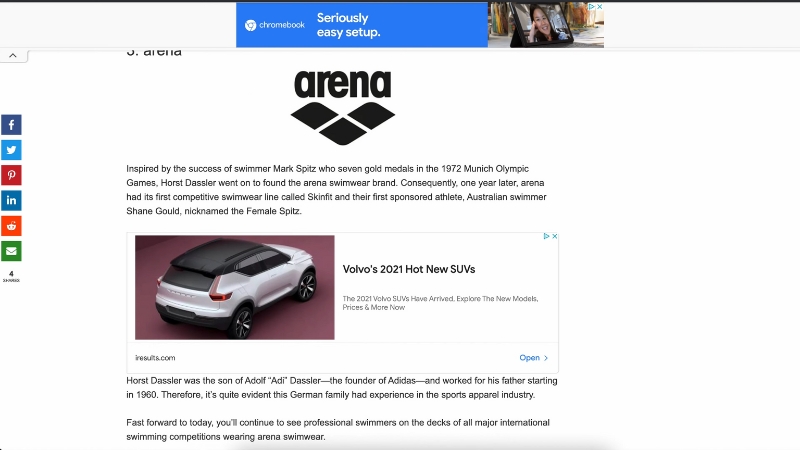
In-content ads deliver the highest RPM per placement because they appear after engagement begins. Once a reader scrolls into the article, bounce probability drops and attention stabilizes. This combination drives strong viewability and better auction competition.
The first in-content ad should appear only after clear engagement signals, typically after the second or third paragraph. For long-form articles, spacing matters more than quantity.
Over-insertion reduces scroll depth and lowers overall RPM.
Publishers using premium networks reported in 2024 that their highest RPM pages typically contained three to five in-content ads, even on articles exceeding 3,000 words.
Pages with more than six in-content ads showed weaker session RPM due to reduced reading completion.
Article Length
In-Content Ads
Recommended Spacing
RPM Stability
800–1,200 words
1–2
After paragraph 3 and near the midpoint
Moderate
1,200–2,000 words
2–3
Every 600–700 words
High
2,000–3,000 words
3–4
Every 700–800 words
Very high
3,000+ words
4–5
Every 800–1,000 words
Stable if engagement holds
This structure maximizes revenue without sacrificing reading flow or performance metrics.
Sidebar Ads: Limited but Still Relevant on Desktop
Sidebar ads retain some value on desktop screens, especially when implemented as non-intrusive sticky units. However, they are largely ineffective on mobile and can harm performance if loaded too early.
Programmatic benchmarks from 2023 show sidebar ads averaging 30–45 percent lower RPM than in-content placements. Their role is supplemental, not central. Blogs that rely heavily on sidebar inventory tend to see weaker engagement and shorter session durations.
The safest implementation is conditional loading based on screen width and delayed execution until after the main content renders.
Placement Context
Average RPM
Impact on Engagement
Speed Risk
Desktop sticky sidebar
Low–Medium
Neutral if delayed
Medium
Static sidebar
Low
Often negative
Low
Mobile sidebar
Very low
Negative
High
Sidebar ads should never be prioritized over in-content placements.
Anchor and Sticky Ads: High Yield With Tight Constraints
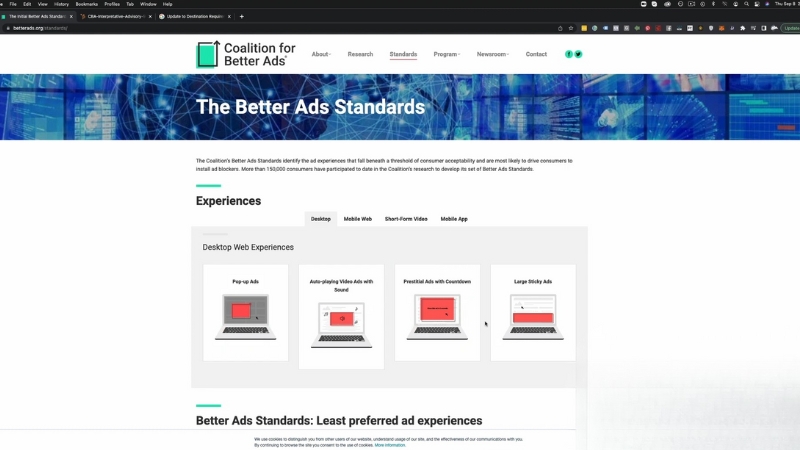
Anchor ads often produce strong RPM because they remain visible for extended periods. However, they are also among the most complained-about ad formats when misused.
Google Better Ads Standards explicitly caution against oversized or intrusive sticky units.
Publishers who limit anchor ads to a single unit with a capped height and delayed activation often see a 10–20 percent RPM increase without measurable speed loss.
Problems arise when anchors block content, trigger accidental clicks, or load immediately on page entry.
Anchor Configuration
RPM Effect
User Risk
Performance Risk
Single delayed anchor
High
Low
Medium
Immediate-load anchor
Medium
Medium
High
Large intrusive anchor
Short-term high
High
Very high
Moderation determines whether anchor ads help or harm long-term performance.
Lazy Loading and Script Control
Lazy loading ad creatives is now standard, but it is not enough by itself. Many ad stacks still initialize early, consuming main-thread resources even if the creative appears later.
This is why some sites with lazy loading still score poorly on Interaction to Next Paint and Total Blocking Time.
Performance audits show that deferring ad stack execution until after LCP can improve Lighthouse performance scores by 10–25 points without reducing revenue.
The difference lies in delaying JavaScript initialization, not just the visual ad load.
Loading Strategy
LCP Impact
INP Impact
Revenue Effect
No lazy loading
High negative
High negative
Short-term gain
Creative-only lazy loading
Medium
Medium
Neutral
FullFull-stackerral
Low
Low
Neutral to positive
Speed protection depends on how ads are loaded, not just where they appear.
Ad Density: Why Fewer Ads Often Earn More
RPM measures revenue per thousand sessions, not per thousand impressions. Adding ads increases impressions but often lowers RPM due to weaker auctions, lower viewability, and reduced engagement.
Industry data from 2023 and 2024 shows that pages with ad density below 30 percent of visible content consistently outperform cluttered pages in RPM. Google’s page layout signals also penalize pages where ads dominate the viewport.
Ad Density Level
Avg Session RPM
Scroll Depth
Long-Term Traffic
Low (under 20%)
Moderate
High
Stable
Balanced (20–30%)
High
High
Strong
High (30–40%)
Declining
Medium
Unstable
Excessive (40%+)
Low
Low
Declining
Optimizing each placement delivers more revenue than multiplying placements.
Measuring What Actually Improves RPM
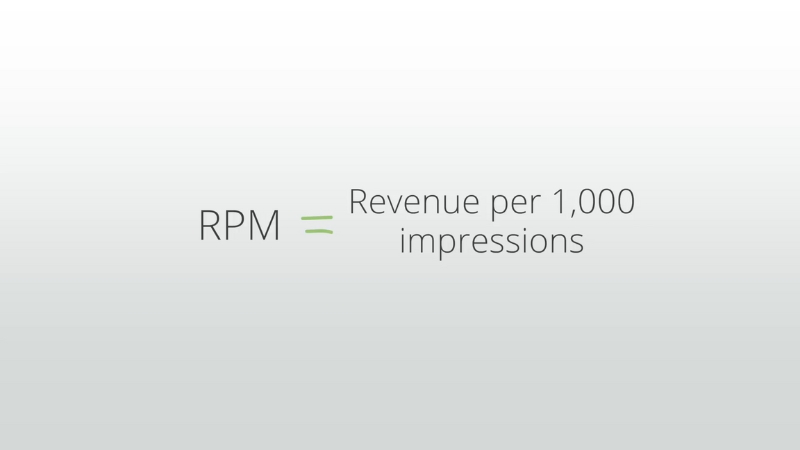
RPM gains without speed loss require more than revenue tracking. Scroll depth, per-slot RPM, and Core Web Vitals reveal which placements actually work.
Many publishers discover that their top two ad slots generate more revenue than the rest combined.
Removing low-performing placements often increases total RPM by improving engagement and auction quality. In repeated analyses of long-form blogs, the highest RPM pages were those with disciplined placement, predictable spacing, and stable performance metrics.
Final Reality
There is no universal ad layout that works for every blog, but the pattern among high-RPM, fast sites is consistent.
They restrict above-the-fold ads, rely on in-content placements, control script execution, and accept that speed amplifies revenue rather than competing with it.
Blogs that follow this model outperform those chasing short-term impression volume at the expense of performance and user trust.