Cumulative Layout Shift, known as CLS, represents one of Google’s Core Web Vitals and focuses on visual stability during page load. Pages that shift unexpectedly frustrate readers and reduce trust.
Google defines a strong CLS score as 0.1 or lower, while anything above 0.25 signals poor performance.
Blog websites face higher CLS risk due to dynamic layouts, late-loading fonts, responsive images, embeds, ads, and slider-heavy themes. Visual instability often appears subtle during development but becomes obvious for visitors on slower devices or networks.
Fixing CLS improves user experience, increases engagement, and supports stronger SEO performance, as confirmed by performance-focused theme providers.
Common Theme and Plugin Issues Causing CLS
Layout instability rarely comes from a single mistake. Visual shifts usually result from patterns repeated across themes, plugins, and content structures.
Blog platforms amplify these problems due to dynamic media, third-party integrations, and design elements that load progressively.
Addressing these areas starts with identifying the most common structural triggers.
Images Without Defined Dimensions
Images that load without predefined dimensions cause immediate layout instability. Space is not reserved during initial render, so surrounding text and elements get pushed once the image appears.
Google performance analysis consistently identifies missing dimensions as a primary CLS contributor.
Modern optimization relies on pairing width and height attributes with the CSS aspect-ratio property. Responsiveness remains intact while browsers calculate layout before media loads.
- Page builders
- Custom blocks
- Site migrations
Common situations that reintroduce the problem include:
- Page builders stripping native image attributes
- HTML pasted directly into editors
- Imported content created before modern WordPress defaults
Videos and Embeds Without Reserved Space
Embedded media introduces even more volatility than images. Videos, iframes, and social widgets often inject themselves after the page appears visually complete. Layout jumps become noticeable, especially near the top of a page.
WordPress oEmbed blocks handle many services correctly, yet manual embeds frequently skip size definitions. Stability improves once browsers know how much space to allocate ahead of time.
- width and height attributes on iframe elements
- CSS aspect-ratio applied to video containers
- min-height values matching expected embed dimensions
Sliders and Animation Effects

Sliders combine multiple CLS risks into one component. Dynamic resizing, delayed JavaScript execution, and image loading all occur after initial render.
Sudden height adjustments push surrounding content in visible jumps.
Animation choices amplify the problem. Properties such as top, left, height, and width force layout recalculation. Every frame triggers reflow, increasing CLS scores.
- transform and opacity for motion
- fixed-height slider containers defined before load
- animation libraries that avoid layout-triggering properties
GSAP-powered tools like Greenshift follow these principles by default. Sliders calculating height only after script execution require adjustments or replacement.
Custom Fonts Loading Late
Typography plays a larger role in CLS than many site owners expect. Flash of Unstyled Text and Flash of Invisible Text both trigger reflow once custom fonts replace fallbacks. Line heights shift, containers resize, and entire sections move.
Stable font loading depends on controlling timing and metrics. font-display set to swap or optional allows text to appear immediately. Metric-compatible fallback fonts minimize visual change once the final font loads.
- preloading font files using link preload
- hosting fonts locally for faster delivery
- Limiting font family count to reduce layout recalculation
Performance-oriented WordPress themes support these techniques by default.
Ads and Third-party Scripts

Ads rank among the highest CLS contributors, especially when injected above the fold. Ad networks load asynchronously and often resize slots after render. Empty containers collapsing when no ad appears create additional shifts.
Social widgets behave similarly. Timelines, share buttons, and comment embeds adjust size after external scripts execute.
- fixed or minimum-height containers
- placeholders or skeleton loaders
- preventing ad slot collapse when inventory fails
Lower placement within the page structure further reduces visible disruption.
Page Builders and Migrated Content
Older posts and migrated layouts frequently bypass modern safeguards. Dimension attributes may be missing entirely, even on image-heavy pages.
Page builders sometimes override WordPress Core behavior, undoing automatic protections.
Optimization plugins can restore missing attributes at scale, yet manual review remains necessary. Custom templates, legacy shortcodes, and hard-coded media blocks often hide persistent CLS sources that automation cannot fully resolve.
Clean Fixes
Reducing CLS requires layered solutions. Structural decisions handle most issues at scale, while targeted fixes address edge cases. Combining theme selection, plugins, and manual adjustments produces consistent visual stability.
Theme Optimizations
Theme architecture determines baseline CLS performance. Performance-first themes reserve space correctly, preload critical assets, and rely on composited animations.
Blocksy includes these optimizations by default, reducing the need for manual intervention.
Visually heavy or outdated themes often ignore Core Web Vitals considerations. Switching to a lightweight theme built around modern performance standards can lower CLS across every page instantly.
Plugin-Based Fixes
Optimization plugins automate many corrective actions that would otherwise require code changes.
WP Rocket adds missing image dimensions, preloads fonts, and enables lazy loading for images and iframes. JavaScript and CSS optimizations further stabilize rendering behavior.
Perfmatters offers similar improvements while allowing fine-grained script control. Unused assets can be disabled on specific pages, preventing late-loading shifts. Greenshift focuses entirely on CLS-safe animations through transform-based motion.
Manual Fixes
Custom setups always require hands-on adjustments. Images and videos should include width and height attributes in markup. CSS aspect-ratio provides predictable sizing across responsive layouts.
Animated GIFs often cause instability and heavy layout recalculation. HTML5 video replacements offer better control and smoother rendering. Injected banners and ads require predefined space using min-height values.
Font usage should remain restrained. Performance-focused theme developers recommend limiting custom typography to two families to reduce reflow risk.
Advanced Techniques for CLS Mitigation
Some CLS issues appear only during navigation or interaction. Advanced strategies address these edge cases and strengthen long-term stability.
Use the Back Forward Cache
Back Forward Cache allows pages to restore instantly during backward or forward navigation. Cached pages reappear without layout recalculation, eliminating visible shifts.
Compatibility depends on avoiding unload event listeners and using modern caching patterns.
Avoid Layout Shifts Caused by Injected Content
Injected elements count toward CLS unless triggered by user interaction within 500 milliseconds. Consent banners, promotions, and notifications should appear only after interaction or remain outside normal document flow.
- position fixed overlays
- off-canvas panels
- containers isolated outside main content flow
Optimize the Critical Rendering Path
Rendering order determines stability. Fonts and hero images deserve early priority through preload hints. Third-party scripts should defer or load lazily to avoid blocking layout calculation.
will-change can prepare browsers for animation but requires restraint. Overuse increases memory usage and can degrade performance rather than improve it.
Testing and Monitoring
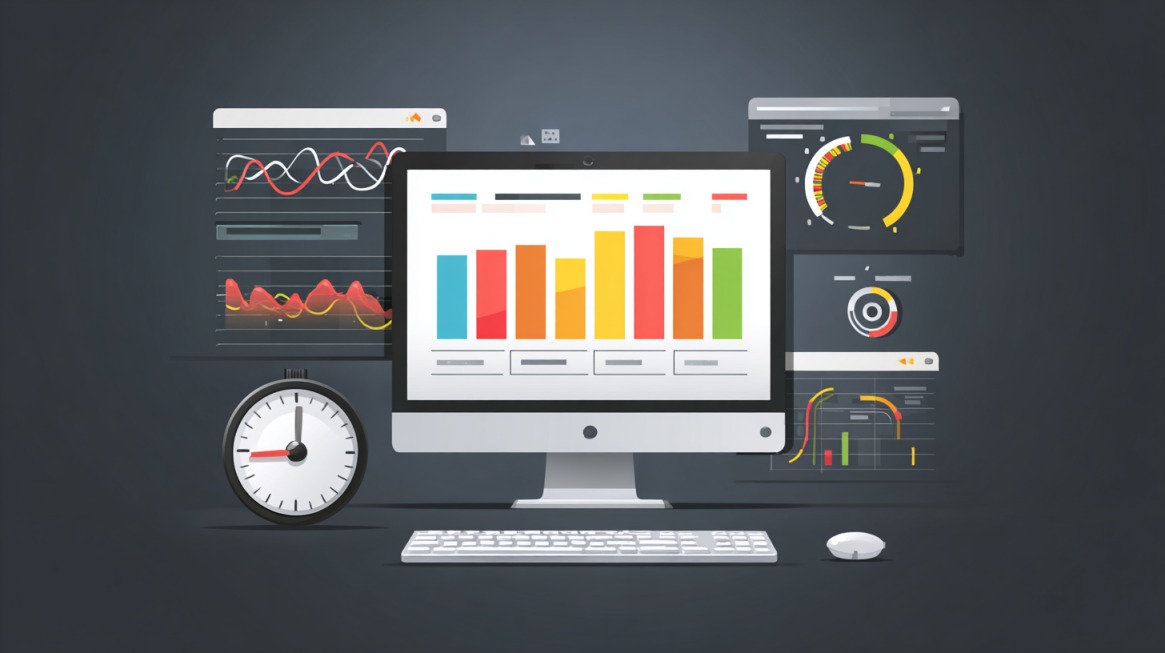
CLS optimization requires continuous measurement. Lab tools reveal initial layout behavior, while field data captures real-world interaction.
Google PageSpeed Insights combines simulated results with real user metrics. Lighthouse offers filmstrip visualization that exposes layout movement frame by frame.
DebugBear provides real user monitoring with element-level CLS attribution, revealing shifts during scroll and interaction. GTmetrix supplies waterfalls and visual indicators helpful during audits.
Ongoing monitoring prevents regressions as plugins, themes, and ad strategies change over time.
Summary
CLS issues follow predictable patterns and respond to clear fixes. Space reservation, asset preloading, and stable animation techniques eliminate most layout shifts.
Strong theme selection combined with modern optimization plugins creates a stable visual experience.
Ongoing audits of plugins, templates, and third-party scripts prevent regressions. Visual stability builds trust, improves engagement, and supports stronger search performance without sacrificing design or functionality.