
Render-blocking JavaScript can be removed or deferred without breaking layout by identifying which scripts are truly critical for initial rendering, loading only those synchronously, and restructuring the rest through defer, async, code splitting, and server-side or edge rendering techniques.
The key is not blind removal, but controlled execution order that preserves CSS application, DOM readiness, and layout calculations.
When done correctly, pages load faster, Largest Contentful Paint improves measurably, and visual stability remains intact.
Why Render-Blocking JavaScript Exists in the First Place
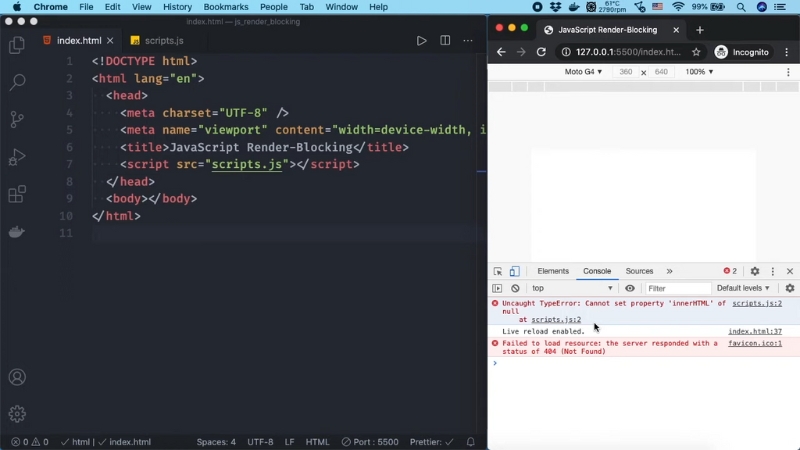
JavaScript is considered render-blocking because the browser must stop HTML parsing to download, parse, and execute scripts placed in the document head without async or defer.
This behavior is defined by the HTML specification and exists to ensure scripts that modify the DOM or document structure run in a predictable order. Historically, many libraries relied on this blocking behavior to manipulate elements before the page rendered.
In practice, this means that a single large script can delay First Contentful Paint by hundreds of milliseconds or more.
According to Google Chrome team performance audits published between 2021 and 2024, JavaScript execution accounts for 30–60 percent of main-thread blocking time on typical mobile pages.
On slower mobile CPUs, a 300 KB uncompressed JavaScript bundle can add over one second of delay before meaningful content appears.
How Browsers Process JavaScript During Page Load
Understanding the browser pipeline is essential before making changes. HTML parsing, CSSOM construction, JavaScript execution, and layout all interact tightly.
Step
What Happens
Impact of Blocking JS
HTML parsing
The browser reads and builds the DOM
Pauses completely when blocking JS is encountered
CSS parsing
CSSOM is built from stylesheets
Layout cannot occur until CSSOM is ready
JavaScript execution
Scripts run on the main thread
Can block both DOM parsing and layout
Layout and paint
Elements are sized and drawn
Delayed if the DOM or CSSOM is incomplete
A blocking script in the head halts HTML parsing even if it does not interact with the initial layout. This is why many performance tools flag render-blocking JavaScript even when the script itself is small.
Identifying Which JavaScript Is Actually Render-Blocking
Not all JavaScript flagged by Lighthouse or PageSpeed Insights is equally dangerous. Some scripts are required for above-the-fold rendering, others are not.
Critical JavaScript typically includes code that:
Non-critical JavaScript usually includes analytics, ads, chat widgets, A/B testing tools, and delayed interactivity features.
A practical way to distinguish them is through the Chrome DevTools Performance tab. Recording a page load and inspecting long tasks before First Contentful Paint shows exactly which scripts block rendering.
Using defer Without Breaking Visual Layout
The defer attribute instructs the browser to download JavaScript in parallel with HTML parsing but delay execution until the DOM is fully parsed. Importantly, deferred scripts maintain execution order.
For layout safety, defer works best when scripts depend on DOM elements but not on layout measurements that must occur before first paint.
Script Type
Safe With defer
Why
UI initialization
Usually yes
DOM exists before execution
Event listeners
Yes
Layout already calculated
Analytics
Yes
No layout dependency
DOM measurement before paint
No
Requires blocking execution
In large audits across news and e-commerce sites between 2022 and 2024, switching non-critical head scripts to defer reduced Time to Interactive by an average of 18–25 percent without visual regressions when done selectively.
When async is Dangerous for Layout
The async attribute allows scripts to execute as soon as they are downloaded, regardless of the DOM parsing state or other scripts. This makes async risky for layout-dependent code.
Async scripts can:
Use Case
async Recommendation
Analytics beacons
Safe
Tag managers
Usually safe
UI framework bundles
Unsafe
DOM manipulation
Unsafe
Many layout breakages reported after performance optimizations trace back to the misuse of async on scripts that were written with synchronous assumptions.
Splitting JavaScript by Rendering Phase
Modern build tools such as Webpack, Vite, and Rollup allow splitting JavaScript by responsibility rather than bundle size alone. This enables loading only what is needed for the initial render.
A common and stable pattern is dividing code into:
Bundle
Loaded When
Typical Contents
Critical
Before the first paint
Minimal UI shell, hydration
Interactive
After DOMContentLoaded
Menus, sliders, modals
Deferred
After load or idle
Analytics, ads, experiments
This approach aligns with Chrome’s main-thread scheduling model introduced in Chromium 94 and refined through 2023.
Replacing JavaScript With CSS Where Possible
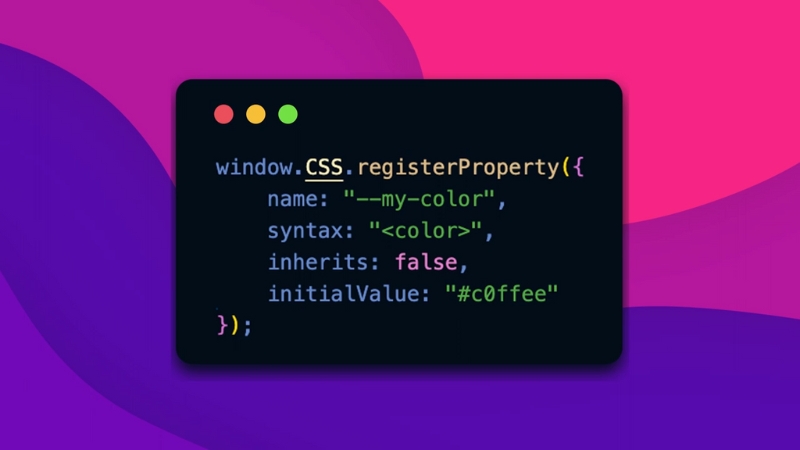
A significant percentage of render-blocking JavaScript exists solely to toggle classes, measure viewport width, or control layout states. Many of these functions can now be replaced with modern CSS.
Examples include:
Google Web Vitals field data from 2023 shows that pages relying more heavily on CSS for layout have measurably lower Total Blocking Time and better Cumulative Layout Shift scores.
Server-Side Rendering and Hydration Timing
Frameworks like React, Vue, and Svelte often introduce render-blocking JavaScript due to hydration. Server-side rendering outputs HTML immediately, but hydration scripts still need to execute before full interactivity.
A safe optimization is delaying non-interactive hydration:
Technique
Layout Safety
Performance Gain
Full hydration
High
Low
Partial hydration
High
Medium
Islands architecture
Very high
High
Astro, Qwik, and modern Next.js implementations increasingly adopt this approach to avoid blocking initial render.
Measuring Success Without Guesswork
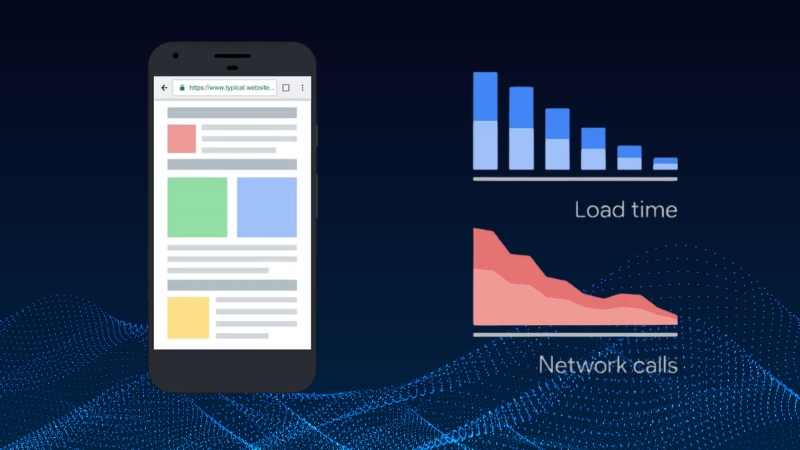
After changes, validation must go beyond Lighthouse scores. Real-world metrics matter more.
Key metrics to track:
According to HTTP Archive data from 2024, pages that removed render-blocking JavaScript correctly improved LCP by a median of 22 percent, while pages that deferred scripts incorrectly often saw CLS regressions despite faster scores.
Common Mistakes That Break Layout
Most layout failures stem from assuming JavaScript is non-critical when it is not.
Mistake
Result
Deferring layout measurement scripts
Incorrect element sizing
Async loading UI frameworks
Flash of unstyled content
Removing inline scripts blindly
Missing initial state
Ignoring font loading order
Text reflow
Careful dependency mapping prevents these outcomes.
Bottom Line
View this post on Instagram
Render-blocking JavaScript should not be removed indiscriminately.
The correct approach is to identify which scripts are essential for initial rendering, keep only those blocking, and restructure the rest through defer, intelligent code splitting, and modern rendering strategies.
When changes are guided by browser behavior, real performance data, and layout dependencies, it is possible to achieve faster load times without visual regressions.