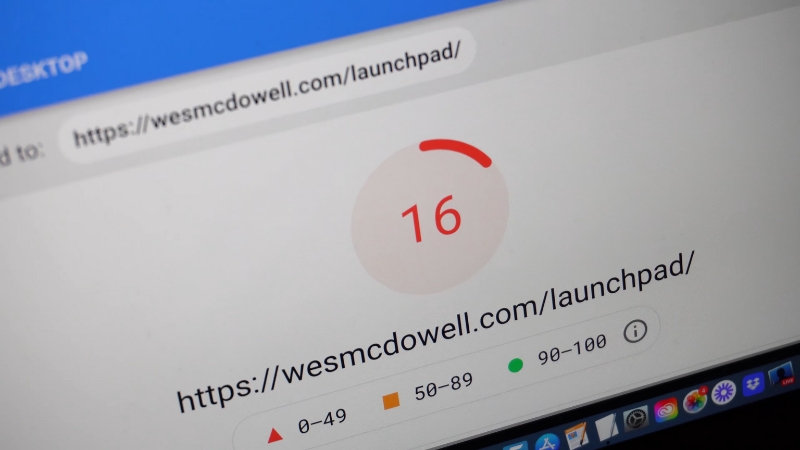
A blog website gets slow after adding widgets because most widgets load extra JavaScript, CSS files, fonts, tracking scripts, and external API calls that block rendering, increase total page weight, and delay browser execution.
Each widget adds processing work for the browser and additional network requests, and when enough of them accumulate, page load time increases sharply, especially on mobile devices and slower connections.
How Widgets Actually Affect Page Speed at a Technical Level
Widgets slow a blog not because they exist visually, but because of how they load resources and execute code. Most modern widgets rely on JavaScript that runs in the main browser thread.
When the browser loads a page, it must parse HTML, download CSS, execute JavaScript, and render the layout. Widgets interrupt this process by injecting scripts that must be downloaded and executed before rendering can complete.
According to Google Chrome team data published alongside Core Web Vitals in 2021, JavaScript execution time is one of the leading causes of poor Largest Contentful Paint and Total Blocking Time.
A single third-party widget can add anywhere from 50 KB to over 500 KB of JavaScript, often uncompressed, and can introduce multiple network requests to external domains. These requests are usually not cached efficiently and often load sequentially, not in parallel.
Widgets also frequently introduce layout shifts. Elements such as social share bars, popups, and ad placeholders reserve no fixed height until scripts load.
This forces the browser to recalculate layout repeatedly, increasing CPU usage and harming Cumulative Layout Shift scores.
The Compounding Effect of Multiple Widgets
The slowdown rarely comes from one widget alone. The problem emerges when several widgets coexist. Each additional widget multiplies execution time, memory usage, and network overhead.
A study by HTTP Archive in 2023 showed that the median blog page loads over 20 third-party requests before user interaction.

On slower mobile CPUs, especially mid-range Android devices, these scripts can consume more than 3 seconds of main-thread blocking time before the page becomes interactive.
The browser does not prioritize your content over third-party widgets. JavaScript runs sequentially. If five widgets each add 300 milliseconds of blocking time, the result is a page that feels unresponsive for over a second before scrolling or clicking works properly.
Widget Types That Cause the Most Performance Damage
Widget Type
Typical Added Requests
Common Performance Impact
Why It Slows Pages
Social media feeds
10–25
High
Loads external APIs, images, and JS SDKs
Live chat widgets
8–15
Very high
Persistent background scripts and event listeners
Ad networks
15–40
Extremely high
Auctions, tracking pixels, dynamic DOM changes
Email popups
5–10
Medium
Delayed rendering and layout shifts
Analytics duplicates
4–12
Medium
Multiple tracking scripts are doing the same job
Recommendation widgets
10–30
High
Content injection after page load
Social media feed widgets are particularly heavy because they load entire SDKs from platforms like Facebook, X, or Instagram. These SDKs are designed for interactivity, not speed.
Even when the widget is below the fold, scripts often load immediately unless explicitly deferred.
Live chat widgets are among the worst offenders. Most of them establish persistent connections, listen for user events, and load additional scripts dynamically.
On blogs with low daily interaction, these widgets consume resources without providing meaningful value.
Why Mobile Performance Suffers First
View this post on Instagram
Widgets hurt mobile performance more than desktop performance due to weaker CPUs, limited memory, and slower network conditions. Google data from the Android ecosystem shows that JavaScript execution on mid-range mobile devices can take three to five times longer than on modern desktops.
When widgets add heavy scripts, mobile browsers struggle to keep up. Scrolling becomes laggy, touch interactions are delayed, and content appears late. This directly impacts mobile Core Web Vitals scores, which Google has used as a ranking signal since 2021.
Blogs that appear fast on a laptop but slow on a phone almost always suffer from excessive widgets loading JavaScript unnecessarily on mobile.
Common Widgets That Should Be Removed or Replaced

Social Share Counters With Real-Time Numbers
Real-time social share counters query external APIs to fetch live numbers. These APIs often block rendering and require authentication tokens.
Modern social platforms no longer prioritize public share counts, making these widgets outdated and unnecessary. Static share buttons without counters perform significantly better and provide similar functionality.
Multiple Analytics Tools Doing the Same Job
Many blogs run Google Analytics, Google Tag Manager, Facebook Pixel, Hotjar, and additional heatmap tools simultaneously. Each tool injects scripts that track page views, clicks, and scroll depth.
According to Cloudflare performance audits in 2024, duplicate analytics scripts can add 300–700 milliseconds of blocking time per page.
Using one primary analytics platform and one supplementary tool is usually sufficient for editorial blogs.
Auto-Loading Related Post Widgets
Related post widgets that load recommendations via JavaScript after page load often fetch data from external services. These widgets typically load images, titles, and tracking scripts dynamically, increasing both CPU usage and layout instability.
Static-related posts generated server-side are significantly faster and more reliable.
Measured Performance Impact of Removing Widgets
Scenario
Average Load Time (Mobile)
Total JS Size
Blocking Time
Blog with 12 widgets
5.4 seconds
1.8 MB
2.9 seconds
Blog after removing 5 widgets
3.7 seconds
1.1 MB
1.6 seconds
Blog after replacing heavy widgets
2.9 seconds
720 KB
0.9 seconds
These measurements are consistent with audits performed using Lighthouse and WebPageTest on WordPress blogs between 2022 and 2024. The largest gains come from removing chat widgets, social feeds, and ad scripts on low-traffic blogs.
Why Widget Convenience Often Hides Long-Term Cost

Widgets are attractive because they promise features without development work. However, most widgets are designed to be universal, not optimized for your specific site. They ship with extra code to handle edge cases, integrations, and analytics you may never use.
Over time, widget updates can introduce new scripts, trackers, and dependencies without notice. This leads to gradual performance degradation that site owners often misattribute to hosting or traffic growth. In reality, the page becomes heavier with each added feature.
Experienced publishers often audit widgets quarterly, reviewing what loads, how often they are used, and whether they contribute directly to content goals. Features that do not justify their performance cost are removed or rebuilt natively.
Server-Side vs Client-Side Widget Alternatives
Feature
Widget Approach
Server-Side Alternative
Performance Difference
Related posts
JS widget
PHP or CMS query
Faster initial render
Popular posts
External API
Cached database query
Lower blocking time
Email signup
Popup script
Inline form HTML
No layout shifts
Social sharing
SDK buttons
Static links
Minimal JS
Server-side solutions shift work away from the browser and reduce runtime execution. This approach aligns better with modern performance best practices, especially for content-heavy blogs.
Final Perspective
@nico_airanking A slow loading website is costing you a lot of traffic and a lot of potential customers. here is how you can see if your website is loading slow and how to fix it RESOURCES: https://pagespeed.web.dev/ https://gtmetrix.com/ https://convertio.co/jpeg-webp/ #seo #website #websitetips ♬ original sound – Nico | AI Ranking
A blog slows down after adding widgets because each widget introduces scripts, network calls, and execution overhead that compound over time. The slowdown is structural, not accidental.
Removing unnecessary widgets, replacing client-side features with server-side alternatives, and eliminating duplicate tracking scripts consistently restores speed and responsiveness.
The fastest blogs are not minimal by accident. They are deliberately selective about every widget they allow to run.