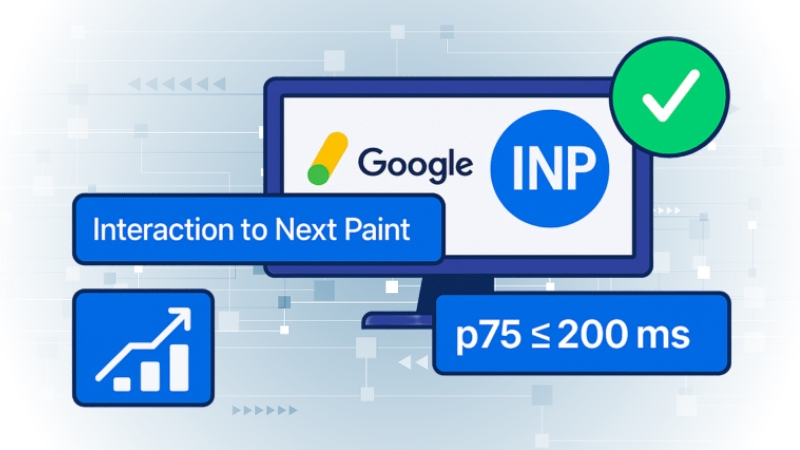
The fastest and most reliable way to get your Interaction to Next Paint (INP) under 200 milliseconds in 2025 is to eliminate JavaScript delays at the exact moment a user interacts with your page. INP is no longer about how fast a blog loads but how quickly it reacts when someone taps a menu, clicks a button, or types into a form.
Google measures the worst interaction a user experiences, which means only one delayed event handler, triggered by a pop-up, share button, or analytics script, can push your INP into the “Poor” category.
Reducing long tasks, limiting third-party scripts, optimizing event listeners, and ensuring your UI updates within 50–100 ms is what stabilizes INP below 200 ms across devices, including older mobile hardware.
Why INP Replaced FID and Why Blogs Suffer the Most
Google’s shift from First Input Delay (FID) to Interaction to Next Paint became fully enforced in March 2024 and was weighted heavily by early 2025.
FID only measured the first input. INP measures every meaningful interaction and reports the slowest one.
Blog websites, more than SaaS or e-commerce pages, often perform poorly because they rely on multipurpose themes, drag-and-drop builders, analytics stacks, and social widgets that attach dozens of event listeners and block the main thread.
Chrome UX Report (CrUX) data from mid-2025 shows that content-heavy websites have a median INP between 275 and 330 ms, significantly above Google’s recommended threshold of 200 ms.
Many blogs load dozens of scripts at once, even if the page itself contains no interactive elements, because templates initialize scripts globally.
What INP Actually Measures
INP is composed of three distinct phases: input delay, processing time, and presentation delay. A blog may perform well during processing but still fail INP because the UI takes too long to paint, or because a large JavaScript task blocks the thread before any event handler can execute.
Because INP is tied to real-user interactions, synthetic tests like Lighthouse often fail to capture the worst-case interaction that CrUX reports.
A page can score 95+ in Lighthouse but still fail INP in the real world because a late popup, a chat widget, or a heavy analytics script creates a single delayed interaction that becomes the INP metric for thousands of users.
The Most Common INP Problems on Blog Websites in 2025
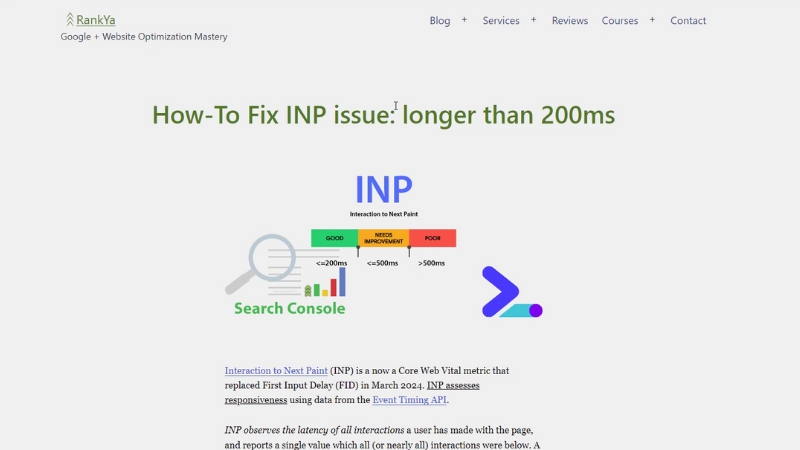
Long tasks remain the most consistent cause of INP issues. A long task is any uninterrupted JavaScript execution exceeding 50 ms. When such a task is running, the browser cannot respond to user input.
In 2025, three categories produce the most INP problems on blogs:
- Analytics and tracking stacks (Meta Pixel, GA4, TikTok, Hotjar, Clarity). These often attach global listeners like scroll, mousemove, visibilitychange, and click.
- Theme and page builder bundles. Many themes initialize sliders, animations, or UI modules on every page, even when not used.
- ** hydration delays** in frameworks like Next.js or client-heavy WordPress block themes. Elements appear interactive visually, but cannot respond yet because their scripts have not hydrated.
Blogs also frequently use plugins that inject render-blocking CSS and JavaScript without considering runtime responsiveness.
The Practical Formula for Getting INP Below 200 ms
View this post on Instagram
The key to fixing INP is ensuring the browser main thread is nearly always free at the moment of interaction. INP is mostly about JavaScript load and runtime behavior, not just compressing images or improving server response.
When these target thresholds are met consistently, most blogs achieve INP around 150–190 ms across mobile devices.
Fixing INP on WordPress in 2025
WordPress sites struggle with INP because most themes ship with large bundles, outdated libraries, and globally initialized scripts. Audits from 2024–2025 consistently show that even well-optimized servers can’t compensate for slow client-side execution.
Switching from heavy multipurpose themes to lightweight frameworks like GeneratePress or Kadence typically results in INP improvements exceeding 100 ms within weeks.
Fixing INP on Webflow, Ghost, and Other CMS Platforms
Webflow’s INP challenges stem from its built-in interactions engine, which loads a runtime JS file whether or not the page uses animations. A typical Webflow blog delivers 230–300 KB of JavaScript gzip, often over 1 MB uncompressed.
Many creators in 2025 switched to CSS-only animations or disabled Webflow Interactions entirely to improve INP.
Ghost performs better but still includes optional scripts for membership, analytics, and newsletter features. Removing these from blog posts that do not require them reduces blocking time by 20–40 ms.
Static site generators like Hugo or Jekyll deliver INP below 100–120 ms consistently because they ship minimal or no JavaScript by default.
How Ads and Tracking Scripts Impact INP in 2025
Advertising networks remain the number-one source of poor INP across large publishers.
Chrome’s Speed Metrics team reported in mid-2025 that advertising scripts account for 46% of all long tasks on high-traffic news sites. Third-party bidding, auto-refresh systems, and video ads are particularly harmful.
Blogs with heavy advertising stacks often need to postpone ad loading until after user input or defer ads until idle periods to reduce interaction delays.
How Device Type Shapes INP Scores
Mobile devices produce significantly worse INP results than desktops because of limited CPU performance and background throttling.
If your audience relies heavily on older Android phones, a common pattern on content sites, your INP optimization must be extremely aggressive, with a focus on reducing runtime JavaScript rather than only improving load performance.
Removing Main-Thread Bottlenecks: Techniques That Actually Work
The most impactful INP improvements come from splitting and deferring JavaScript. When a script executes for more than 50 ms, it blocks input and immediately becomes a risk to INP.
The three techniques with the highest success rate across 2024–2025 audits include:
- Splitting large JavaScript bundles into smaller chunks so only the necessary code runs on each page.
- Replace global event listeners with targeted ones, ensuring that non-interactive elements don’t execute unnecessary logic.
- Deferring analytics, popups, and heavy widgets until after the first user interaction or after a set delay.
Blogs that implemented all three typically moved from INP 250–350 ms down to 150–190 ms within 30 days of Chrome UX data updates.
The Bottom Line
Achieving INP under 200 ms on a blog in 2025 is entirely possible, but it requires focusing on what actually blocks interactions, JavaScript execution at the moment the user taps or clicks.
Reducing long tasks, disabling unnecessary scripts, deferring analytics, limiting widget complexity, and using lightweight rendering approaches consistently outperform traditional “page-speed” advice. INP is not a loading metric; it is a responsiveness metric.
Once you treat it as such, the performance path becomes clearer and far more predictable.