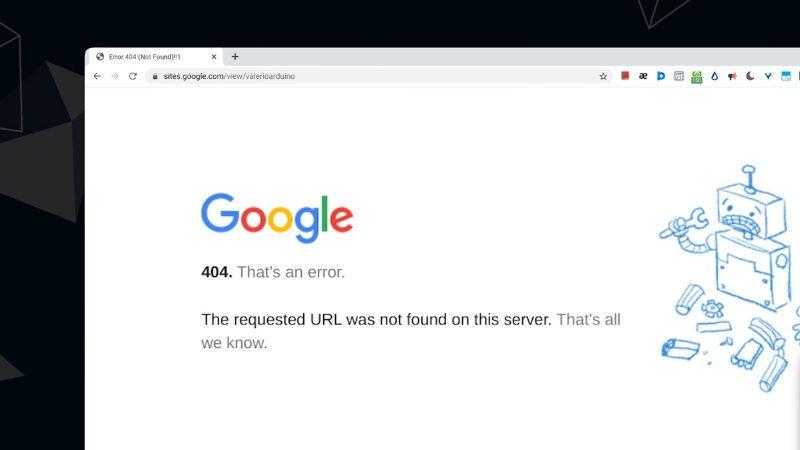
404 errors and redirect issues after an HTTPS update usually occur because URLs change, but internal links, redirects, canonical tags, or server rules do not update consistently.
The fix is not a single setting or plugin. It is a controlled process that maps old HTTP URLs to their HTTPS equivalents, validates server responses, and ensures search engines see one clear version of every page.
When done correctly, rankings and traffic stabilize. When done poorly, crawl waste, index loss, and long-term visibility drops follow.
Why HTTPS Migrations Commonly Break Blog Websites

HTTPS updates change the protocol layer of every URL. What looks like a simple switch from http:// to https:// is, from a search engine perspective, a full-site URL migration. Every page, image, script, and internal reference now has a new canonical address.
Blogs are especially vulnerable because they often have years of legacy content, internal links created manually, category archives, tag pages, pagination, author pages, RSS feeds, and external backlinks pointing to HTTP URLs. If even one of these layers is mishandled, Googlebot encounters conflicting signals.
The most common cause of 404s after HTTPS updates is partial migration. The server redirects some URLs but not others. Another cause is inconsistent URL formatting, such as trailing slashes, uppercase characters, or category path changes introduced at the same time as HTTPS.
How Search Engines Interpret 404s and Redirects After HTTPS Changes
A 404 response tells search engines that a URL no longer exists. A 301 redirect tells them the content has moved permanently. After an HTTPS update, search engines expect a clean, predictable pattern: every HTTP URL should return a single 301 redirect to its HTTPS version.
Problems arise when the redirect chain, loop, or conflict with canonical tags. Google may crawl the HTTP version, follow a redirect to HTTPS, then see a canonical pointing back to HTTP, or to a different URL entirely. This creates uncertainty about which version should be indexed.
The table below summarizes how different responses are interpreted.
| Server Response | Meaning to Search Engines | Impact After HTTPS Update |
| 301 Permanent Redirect | URL moved permanently | Correct and expected |
| 302 Temporary Redirect | The move may be reversed | Slows consolidation |
| 404 Not Found | URL removed | Risk of index loss |
| 200 OK on HTTP and HTTPS | Duplicate content | Canonical conflict |
| Redirect chain | Multiple hops | Crawl inefficiency |
For blogs with thousands of URLs, even small inconsistencies scale into major crawl and indexing problems.
Identifying 404 Errors After an HTTPS Migration
The first step is locating which URLs are returning 404 errors. This must be done at both the server and search engine levels.
Google Search Console is the primary source. Under the Pages or Indexing reports, Google lists URLs it attempted to crawl but could not find. These often include old HTTP URLs, malformed category links, or outdated pagination paths.
Server logs provide a second layer of truth. Logs show every request made by users and bots, including the exact URLs that trigger 404 responses. This is critical because Search Console only shows a subset of errors.
For blogs, common 404 patterns include:
- Old category or tag URLs removed during redesign
- Image URLs referenced in older posts
- Pagination URLs that changed structure
- Author archive URLs disabled without redirects
Each pattern requires a different handling strategy.
Building a Redirect Map Before Making Changes
Blindly adding redirects is risky. A redirect map ensures every decision is intentional. The process starts by exporting all known HTTP URLs.
This can be done using sitemap history, Search Console exports, crawl tools, or CMS database queries.
Each HTTP URL should map to exactly one HTTPS destination. If content still exists, the redirect should point to the same path under HTTPS. If content was removed, the redirect should point to the closest relevant page, not the homepage by default.
The table below shows correct and incorrect redirect handling.
| Old HTTP URL | HTTPS Target | Correctness |
| http://site.com/post-a | https://site.com/post-a | Correct |
| http://site.com/old-post | https://site.com/category | Acceptable if content removed |
| http://site.com/post-a | https://site.com/ | Poor practice |
| http://site.com/post-a | https://site.com/post-b | Misleading |
Mass redirecting everything to the homepage is a strong negative quality signal, especially for blogs.
Server-Level Redirect Configuration
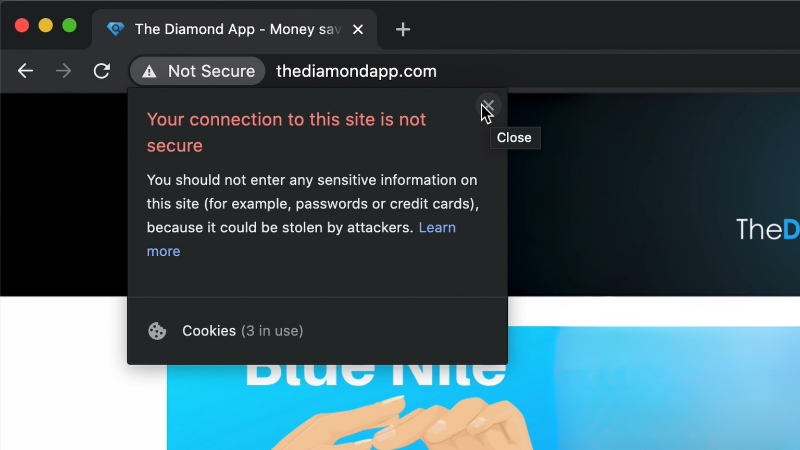
Redirects must be implemented at the server level whenever possible. Application-level redirects are slower and more error-prone.
For Apache servers, redirects are typically handled in the .htaccess file. For Nginx, they are handled in server configuration blocks. The rule should force HTTPS globally and preserve the full URL path.
A proper HTTPS redirect rule does three things:
- Redirects all HTTP requests
- Uses a single 301 response
- Preserves query parameters and paths
Redirect chains often happen when HTTPS enforcement is added on top of existing www or non-www redirects without consolidation. All variations should resolve in one step.
Fixing Internal Links After HTTPS Updates
Even with perfect redirects, internal links pointing to HTTP URLs create unnecessary redirects and crawl waste. Over time, this slows down crawling and can delay index updates.
Every internal link should point directly to the HTTPS version. This includes:
- Navigation menus
- Category links
- Footer links
- In-content links in older posts
- Image and media URLs
Database-wide search and replace is often required, but it must be done carefully to avoid corrupting serialized data in CMS platforms like WordPress.
Internal consistency sends a strong signal to search engines that HTTPS is the definitive version of the site.
Canonical Tags and HTTPS Consistency
View this post on Instagram
Canonical tags are one of the most overlooked sources of post-migration issues. After HTTPS updates, canonical tags must reference HTTPS URLs exclusively.
If a page loads on HTTPS but declares an HTTP canonical, Google receives conflicting signals. In some cases, the HTTP version remains indexed even if it redirects.
Blogs with SEO plugins often inherit old canonical logic from before the migration. Every template type must be checked, including posts, categories, tags, paginated pages, and archives.
Canonical validation should be done using live page inspection, not cached HTML.
Sitemaps and HTTPS Migration Cleanup
XML sitemaps must contain only HTTPS URLs after migration. Submitting HTTP URLs in sitemaps slows down reprocessing and creates noise in Search Console reports.
Old HTTP sitemaps should be removed from Search Console. New HTTPS sitemaps should be submitted and monitored for coverage issues.
For large blogs, sitemap segmentation helps diagnose problems faster. Separate sitemaps for posts, categories, and tags make it easier to spot which content types are affected.
Monitoring Recovery and Index Stability
@menervadigital 👉️404 Redirect Explained: Empowering you to understand and overcome website errors. #MenervaDigital #YourSEOBesties ♬ original sound – MenervaDigital
Fixing redirects and 404s does not produce instant results. Search engines need time to recrawl, process redirects, and update index signals.
Key indicators to monitor include:
- Decline in 404 errors in Search Console
- Increase in HTTPS indexed pages
- Stabilization of crawl stats
- Reduction in redirect chains during crawls
Short-term ranking fluctuations are normal. Persistent losses usually indicate unresolved canonical conflicts or missing redirects.
Common Mistakes That Prolong HTTPS Issues
One of the most damaging mistakes is fixing only what Search Console reports and ignoring server logs. Another is assuming plugins handle everything automatically.
Other frequent errors include:
- Leaving mixed content unresolved
- Using 302 redirects instead of 301
- Blocking HTTPS URLs in robots.txt
- Forgetting RSS feeds and AMP URLs
HTTPS migrations are technical SEO tasks. They require verification, not assumptions.
Long-Term Impact on Blog SEO

When handled correctly, HTTPS updates improve trust signals, referral integrity, and browser compatibility without harming rankings. When mishandled, they fragment authority across URL versions and erode years of accumulated signals.
Blogs depend heavily on internal linking, historical content, and long-tail traffic. That makes precision more important than speed. A clean redirect structure and zero unnecessary 404s preserve that value.
HTTPS is not just a security upgrade. It is a structural change to how a blog exists on the web. Treating it with the same rigor as a site migration is the difference between recovery and regression.