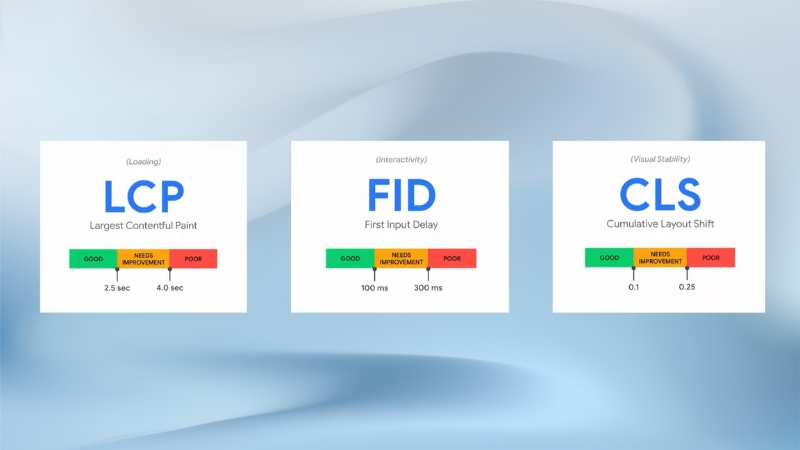
For blogging websites in 2025, passing Core Web Vitals means meeting three measurable performance thresholds that directly affect search visibility, user retention, and ad revenue: Interaction to Next Paint (INP) under 200 milliseconds, Largest Contentful Paint (LCP) under 2.5 seconds, and Cumulative Layout Shift (CLS) below 0.1.
These metrics are not abstract technical signals. Google has confirmed that Core Web Vitals remain part of the page experience ranking system and real-world Chrome User Experience.
Report data shows that slow or unstable blog pages suffer higher bounce rates, lower scroll depth, and reduced ad viewability. Optimizing Core Web Vitals in 2025 is therefore a structural requirement for blogs that rely on organic traffic, not an optional technical upgrade.
What Changed and What Did Not
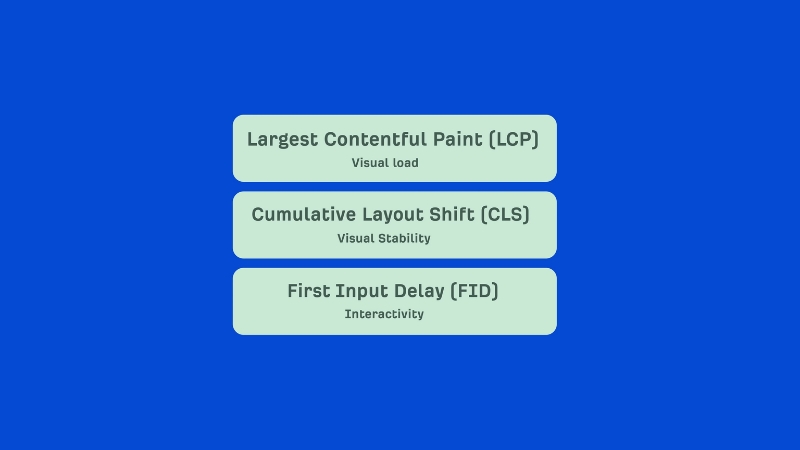
Since Google fully replaced First Input Delay with Interaction to Next Paint in March 2024, the performance focus for blogs has shifted from single interactions to overall responsiveness across the entire user session.
This change matters because blogs are interaction-heavy environments. Users scroll, expand tables, click table-of-contents links, load comments, trigger ads, and interact with cookie banners. INP measures the worst interaction delay observed during the page lifecycle, not just the first click.
What has not changed is the measurement source. Core Web Vitals are still evaluated using real-user field data collected from Chrome users through the Chrome UX Report.
Lab tools such as Lighthouse and PageSpeed Insights remain diagnostic tools only. A blog that scores 100 in Lighthouse but fails in field data still fails in search.
The table below summarizes the current Core Web Vitals thresholds used by Google in 2025.
Metric
Good
Needs Improvement
Poor
INP
≤ 200 ms
200–500 ms
> 500 ms
LCP
≤ 2.5 s
2.5–4.0 s
> 4.0 s
CLS
≤ 0.1
0.1–0.25
> 0.25
Why Blogging Websites Fail Core Web Vitals More Often Than Other Sites
Blogs fail Core Web Vitals more frequently than ecommerce or SaaS sites because of structural content patterns.
Long-form articles often exceed 2,000 words, include multiple images, embedded videos, comparison tables, ad scripts, analytics tools, and dynamic UI elements such as sticky headers or related-post widgets. Each of these elements adds layout instability, main-thread blocking, or delayed rendering.
Another factor is CMS dependency. A large share of blogs still run on WordPress with layered themes, page builders, multiple plugins, and third-party ad networks.
Field data analysis from Google Search Console consistently shows that sites with heavy plugin usage correlate with worse INP and CLS scores, even when server response times are acceptable.
INP Optimization for Blogs: Interaction to Next Paint in Practice
View this post on Instagram
What INP Measures on a Blog Page
INP captures the delay between a user interaction and the next visual update. On blogs, this usually includes clicking internal anchor links, opening mobile menus, expanding tables, submitting comment forms, interacting with cookie consent banners, or scrolling when JavaScript handlers are attached.
INP is affected primarily by main-thread congestion. If JavaScript execution blocks rendering, the browser cannot paint the next frame, even if the interaction itself is simple.
Common Causes of Poor INP on Blogs
Blogs often fail INP because of cumulative JavaScript load rather than one single script. Ad tech, analytics beacons, social embeds, and theme scripts compete for the same main thread.
Even small scripts can cause delays if they execute during user interaction.
The table below shows typical INP-impacting elements on blog pages.
Element
Typical INP Impact
Reason
Ad scripts
High
Long tasks and event listeners
Cookie banners
Medium
Click handlers block paint
Page builders
High
DOM-heavy interactions
Social embeds
Medium
Third-party JS execution
Comment systems
Medium to High
Network + JS rendering
Practical INP Improvements That Work
The most effective INP improvements for blogs involve reducing long tasks above 50 milliseconds. This is not achieved by minification alone. It requires deferring non-essential JavaScript, breaking up long tasks using requestIdleCallback or setTimeout, and eliminating unused event listeners.
Another high-impact tactic is isolating interaction logic from layout-affecting code.
For example, expanding a table should not trigger reflow across the entire page. Passive event listeners for scroll and touch events also reduce blocking behavior.
Field data improvements are measurable. Multiple large publishers reported INP reductions of 30–45 percent after removing synchronous ad initialization during page load and deferring it until after the first user interaction.
LCP Optimization for Blogs: Largest Contentful Paint in Long-Form Content

What LCP Represents on Blog Pages
For blogs, the LCP element is usually the featured image, the hero image at the top of the article, or the main headline block if images are delayed. Google explicitly states that LCP should reflect meaningful content, not placeholders or background elements.
On mobile, LCP is often slower because of image resizing, responsive image loading, and delayed font rendering.
Common LCP Bottlenecks in Blogging Websites
The most frequent LCP issues in blogs are oversized images, server response delays, render-blocking CSS, and font loading strategies that delay text rendering.
The table below outlines the most common LCP blockers.
Bottleneck
Typical Delay Contribution
Large hero image
800–1500 ms
TTFB over 800 ms
300–800 ms
Render-blocking CSS
200–600 ms
Web font loading
100–400 ms
Proven LCP Fixes for Blogs
The fastest LCP improvements come from optimizing the first visible image. Serving responsive images with correct dimensions, using modern formats such as WebP or AVIF, and preloading the LCP image significantly reduces paint time.
Server-side caching also matters. Blogs that moved from shared hosting to optimized LiteSpeed or NGINX setups with full-page caching often reduced Time to First Byte by over 40 percent, which directly improved LCP.
Font strategies also affect LCP. Using font-display: swap and limiting font families reduces render delays without harming readability.
CLS Optimization for Blogs: Layout Stability in Dynamic Pages
Why Blogs Are Especially Vulnerable to CLS
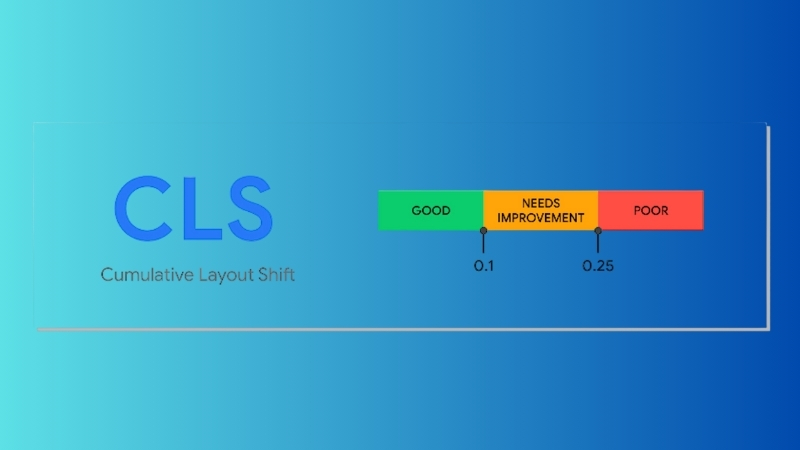
CLS measures visual stability. Blogs frequently fail CLS because content shifts after initial render. Ads loading late, images without dimensions, sticky headers appearing on scroll, and injected affiliate boxes are common culprits.
CLS is cumulative. Multiple small shifts can add up to a failing score even if each shift seems minor.
Typical CLS Sources on Blogging Sites
Source
CLS Risk Level
Explanation
Ads without reserved space
High
Push content downward
Images without width/height
High
Late dimension calculation
Sticky headers
Medium
Reflow on scroll
Inline embeds
Medium
Load after text
Cookie banners
Medium
Sudden overlay shift
CLS Fixes That Actually Reduce Field Scores
The most reliable CLS fix is reserving space. Ads must have fixed containers. Images must define width and height attributes. Embeds should be wrapped in containers with an aspect ratio defined.
Sticky elements should use transform-based animations rather than changing layout properties. Cookie banners should overlay content rather than push it down.
Publishers that implemented strict layout reservation reported CLS reductions from 0.25 to under 0.05 in the Chrome UX Report within two reporting cycles.
Core Web Vitals and SEO Impact for Blogs in 2025
Google has repeatedly stated that Core Web Vitals are a ranking signal, but not a dominant one. However, for competitive blog niches, Core Web Vitals often become the tie-breaker.
When content quality and backlinks are similar, page experience influences visibility.
Search Console data from 2024 shows that URLs passing Core Web Vitals receive higher average CTR on mobile, partly because fast-loading pages reduce pogo-sticking behavior.
The table below summarizes observed SEO effects.
Metric Status
Observed SEO Effect
All CWV Passed
Higher mobile rankings stability
INP Failed
Lower engagement signals
LCP Failed
Higher bounce rates
CLS Failed
Lower scroll depth
Measuring Core Web Vitals Correctly for Blogs
Relying on Lighthouse alone leads to false conclusions. Blogs must monitor field data using Google Search Console, Chrome UX Report dashboards, and real-user monitoring tools.
Search Console reports aggregate URL performance, not individual visits. Improvements often take 28 days to fully reflect.
The table below compares measurement tools.
Tool
Data Type
Use Case
Search Console
Field
Ranking relevance
PageSpeed Insights
Lab + Field
Debugging
Lighthouse
Lab
Development
RUM tools
Field
Continuous monitoring
Long-Term Core Web Vitals Strategy for Blogging Websites
Core Web Vitals optimization is not a one-time task. Blogs evolve. New plugins, new ads, new embeds, and content updates can degrade metrics over time. Sustainable performance requires editorial and technical alignment.
Editorial teams should understand that adding uncompressed images, heavy embeds, or auto-playing videos affects metrics. Technical teams should enforce performance budgets and test new features against INP, LCP, and CLS thresholds before deployment.
Blogs that treat performance as part of content quality consistently outperform those that chase metrics reactively.
Bottom Line
@build_in_public Google’s team let it slip that Core Web Vitals isn’t actually that important. It’s this famous tool, Google PageSpeed Insights. People spent countless hours trying to get a passing grade when it actually didn’t matter. Conspiracy Corner, “A few years ago, Google was trying to scare everyone into making their websites faster. That way it cost them less resources to crawl sites. It was all about Google’s bottom line.” This comment is so real. “Agencies would push a focus on Core Web Vitals. It’s development intensive, requires little to no SEO knowledge, and shows a user a nice pretty green 100% scorecard. Agency makes lots of money, client feels good, and no impact is made whatsoever on their performance.” “If you have something people want, they’re not going to care if the page loads in 2.2 seconds or 2.8 seconds. It’s only an issue on the extremes. If a page takes 15 seconds to load, that’s different and could frustrate a visitor.” Real SEOs knew this for years. This development site, LeewayHertz, fails Core Web Vitals. It has some of the craziest rankings I’ve seen. It ranks number one for AI Consulting Company. Number one for Web3 Gaming. One for mHealth App Development Solutions. It ranks number one through three for 460 similar high value keywords. And has a big, fat, failed Core Web Vitals. There’s a huge section on technical SEO in my SEO program, Compact Keywords. At no point do I say focus on Core Web Vitals. You want to look at things like a site crawl with Screaming Frog, or your sitemaps, or having a reputable content delivery network that’s set up properly, or information architecture. You can learn more at Compact Keywords. And this thread, “Googles team let slip that CWV (site speed) just isnt that important,” has tons of resources downplaying Core Web Vitals and site speed. #seotips #searchengineoptimization #webdevelopment #uiux ♬ original sound – Build in Public
For blogging websites in 2025, Core Web Vitals optimization is about controlling JavaScript execution for INP, prioritizing meaningful content rendering for LCP, and enforcing layout stability for CLS.
Blogs fail these metrics not because of a single mistake, but because of accumulated technical debt.
The sites that pass consistently are those that treat performance as a structural publishing standard, measured in real-user data, enforced at the theme, plugin, and content level, and reviewed continuously as part of editorial operations.